OpenZhenZhen AI プロンプトギャラリー · gpt-image-2.5 · image
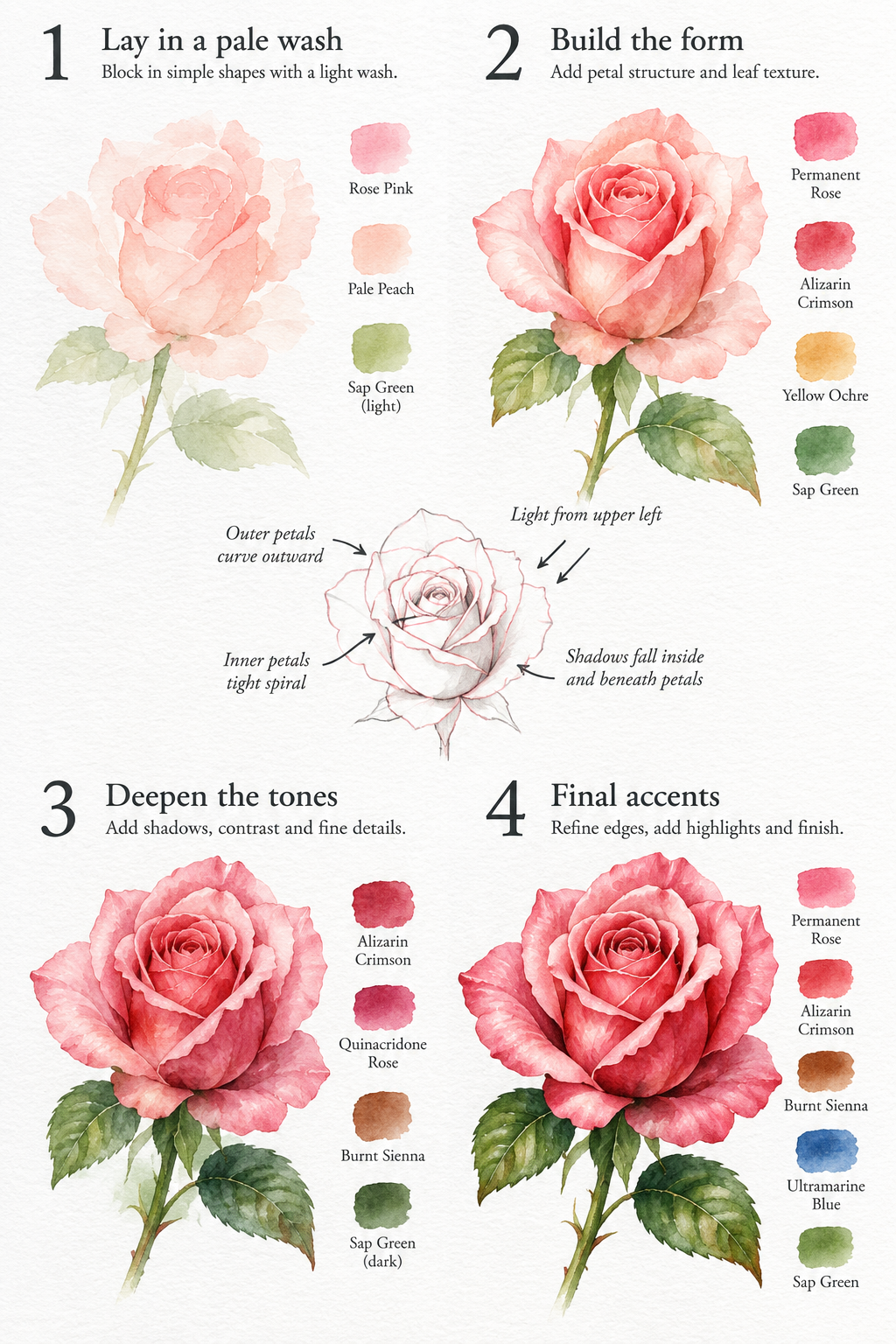
バラの水彩画 4ステップチュートリアルガイド
Four-Step Watercolor Rose Painting Tutorial Guide
「バラの水彩画 4ステップチュートリアルガイド」は gpt-image-2.5 を使用した作品です。OpenZhenZhen で元のプロンプトと生成例を確認し、創作の参考にできます。
プロンプト
中国語プロンプト
制作一张竖版玫瑰水彩绘画教程海报,采用干净的2×2四步骤网格布局,背景为带纹理的白色水彩纸。第1步:用浅色水洗铺设底色和简单形体;第2步:塑造玫瑰花形,增加花瓣与叶片纹理;第3步:叠加明暗层次、阴影和细节;第4步:完成最后润饰并展示完整的玫瑰水彩画。中央加入一张小型结构草图,说明花朵的关键形体和阴影关系。每个步骤旁放置小型色卡,并用简短清晰的名称标注所用颜料。使用柔和水彩插画效果、克制整洁的箭头、清晰不拥挤的教学间距、明亮白色纸张背景、竖版海报构图和高分辨率细节。不要人物、装饰性杂乱、无关文字或水印。
英語プロンプト
Create a vertical watercolor painting tutorial poster for a rose, presented as a clean 2x2 four-step process grid on textured white watercolor paper. Step 1: lay in a pale wash and simple base shapes. Step 2: build the rose form and add petal and leaf texture. Step 3: deepen tonal layers, shadows, and fine details. Step 4: apply final accents and show the finished rose painting. Add one central small structural sketch explaining the key flower shape and shadow relationships. Place a compact color swatch beside each step and label the pigments clearly with short legible names. Use soft watercolor illustration, restrained clean arrows, uncluttered instructional spacing, a bright white paper background, vertical poster composition, and crisp high-resolution detail. No people, no decorative clutter, no unrelated text, and no watermark.
画像・動画プロンプトをもっと見る · 画像を生成 · 動画を生成 · AI キャンバスで作成
関連作品
- アイスランドの川辺に立つ男性と茶色の馬のミニマルな俯瞰写真
「アイスランドの川辺に立つ男性と茶色の馬のミニマルな俯瞰写真」は gpt-image-2.5 を使用した作品です。OpenZhenZhen で元のプロンプトと生成例を確認し、創作の参考にできます。
- 都市の夜の瞑想:超写実的な中年紳士のビジネス肖像
「都市の夜の瞑想:超写実的な中年紳士のビジネス肖像」は gpt-image-2.5 を使用した作品です。OpenZhenZhen で元のプロンプトと生成例を確認し、創作の参考にできます。
- 夕暮れのヨーロッパの街に輝くおしゃれな男性たち
「夕暮れのヨーロッパの街に輝くおしゃれな男性たち」は gpt-image-2.5 を使用した作品です。OpenZhenZhen で元のプロンプトと生成例を確認し、創作の参考にできます。
- テラコッタのスーツと工業風の質感
「テラコッタのスーツと工業風の質感」は gpt-image-2.5 を使用した作品です。OpenZhenZhen で元のプロンプトと生成例を確認し、創作の参考にできます。
- 図書館の光と影に物思いにふける憂鬱な少年
「図書館の光と影に物思いにふける憂鬱な少年」は gpt-image-2.5 を使用した作品です。OpenZhenZhen で元のプロンプトと生成例を確認し、創作の参考にできます。
- 赤いジープにもたれるスタイリッシュな男性、映画のような質感
「赤いジープにもたれるスタイリッシュな男性、映画のような質感」は gpt-image-2.5 を使用した作品です。OpenZhenZhen で元のプロンプトと生成例を確認し、創作の参考にできます。