OpenZhenZhen AI 프롬프트 갤러리 · gpt-image-2.5 · image
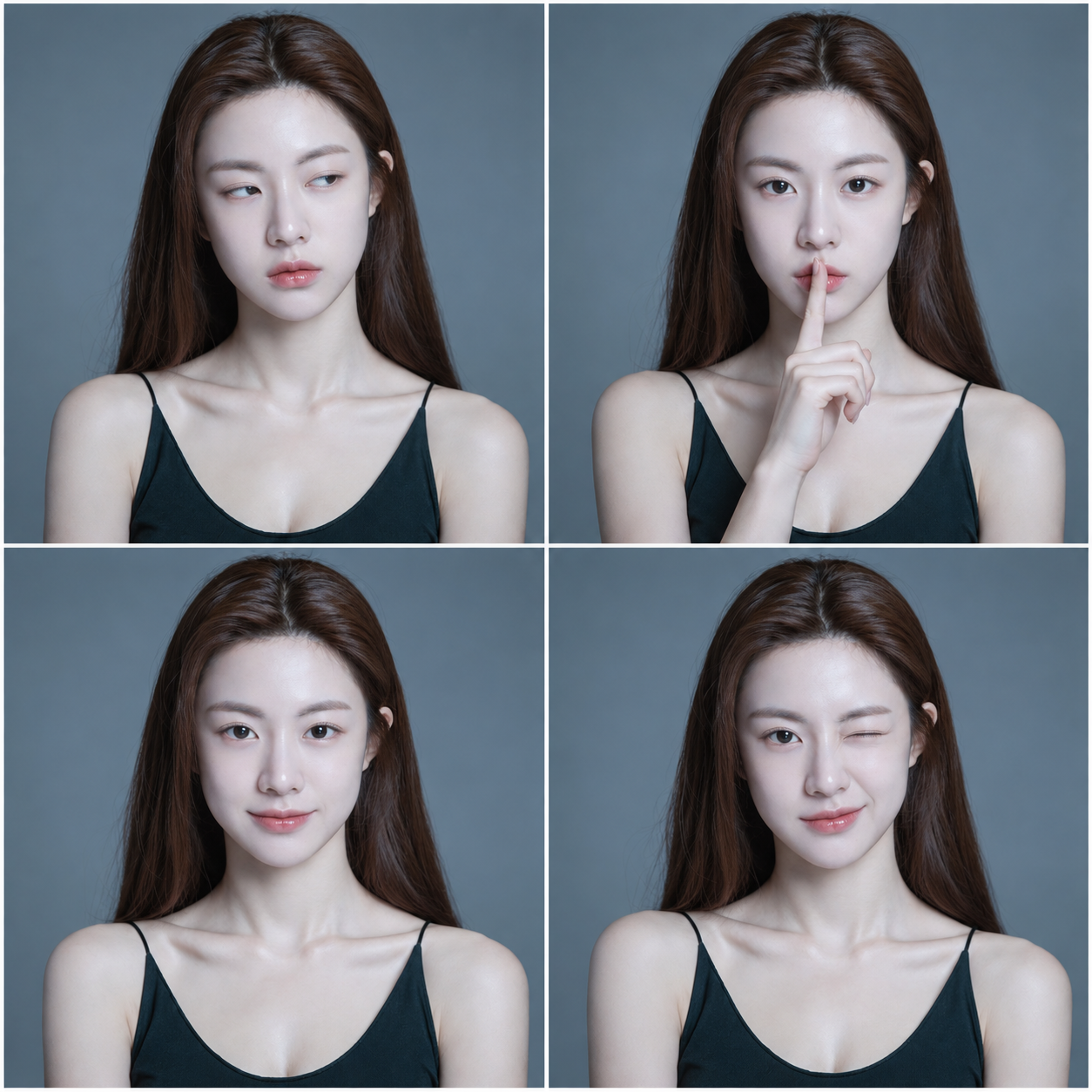
같은 인물의 네 컷 표정 변화
Four-Panel Expression Changes of the Same Character
‘같은 인물의 네 컷 표정 변화’은(는) gpt-image-2.5로 만든 작품입니다. OpenZhenZhen에서 원본 프롬프트와 생성 예시를 살펴보고 새로운 창작에 활용해 보세요.
프롬프트
중국어 프롬프트
使用已配置的 identity_reference ref-10a-v1,让四格中的人物始终是同一位可辨识的人。制作整洁的 2×2 四宫格肖像;四格保持一致的面部身份、脸型、发型与整体外貌。按以下顺序呈现四种清晰不同的表情:左上,无语并略微侧目;右上,食指轻抵唇部的温和“嘘”表情;左下,放松的浅浅微笑;右下,俏皮地眨一只眼。每格表情都要易于辨认且彼此不同,不重复、不遗漏。以简洁一致的柔和中性背景和均匀人像布光作为排版默认值。将表情符号理解为面部表情提示,而不是贴纸或字幕;不要叠加文字或表情符号图案。
영어 프롬프트
Use the configured identity_reference ref-10a-v1 to depict the same recognizable person in every panel. Create one clean 2-by-2 four-panel portrait grid, with consistent facial identity, face shape, hair, and overall appearance across all four panels. Show four clearly distinct expressions in this order: top left, an unamused, slightly side-eye look; top right, a gentle “shh” expression with one index finger lightly at the lips; bottom left, a small relaxed smile; bottom right, a playful wink. Keep each expression readable and different, with no duplicated or missing panel. Use a simple, consistent soft neutral background and even portrait lighting as layout defaults. Treat the emoji references as facial-expression cues, not as graphic stickers or captions; add no text or emoji overlays.
더 많은 이미지·동영상 프롬프트 보기 · 이미지 생성 · 동영상 생성 · AI 캔버스에서 만들기
관련 작품
- 필리핀 가정 마당의 손빨래를 담은 초기 디지털 스냅샷
‘필리핀 가정 마당의 손빨래를 담은 초기 디지털 스냅샷’은(는) gpt-image-2.5로 만든 작품입니다. OpenZhenZhen에서 원본 프롬프트와 생성 예시를 살펴보고 새로운 창작에 활용해 보세요.
- 네온 코랄 컬렉터 피규어 블리스터 포장
‘네온 코랄 컬렉터 피규어 블리스터 포장’은(는) gpt-image-2.5로 만든 작품입니다. OpenZhenZhen에서 원본 프롬프트와 생성 예시를 살펴보고 새로운 창작에 활용해 보세요.
- 코발트블루 운동복을 입은 네 가지 포즈의 피트니스 패션 화보
‘코발트블루 운동복을 입은 네 가지 포즈의 피트니스 패션 화보’은(는) gpt-image-2.5로 만든 작품입니다. OpenZhenZhen에서 원본 프롬프트와 생성 예시를 살펴보고 새로운 창작에 활용해 보세요.
- 인스타그램풍 저채도 스트리트 포토 콜라주
‘인스타그램풍 저채도 스트리트 포토 콜라주’은(는) gpt-image-2.5로 만든 작품입니다. OpenZhenZhen에서 원본 프롬프트와 생성 예시를 살펴보고 새로운 창작에 활용해 보세요.
- 밤 핑크 꽃가지 아래 직광 플래시 폰 스냅
‘밤 핑크 꽃가지 아래 직광 플래시 폰 스냅’은(는) gpt-image-2.5로 만든 작품입니다. OpenZhenZhen에서 원본 프롬프트와 생성 예시를 살펴보고 새로운 창작에 활용해 보세요.
- 중국 역대 복식 6칸 인물 초상
‘중국 역대 복식 6칸 인물 초상’은(는) gpt-image-2.5로 만든 작품입니다. OpenZhenZhen에서 원본 프롬프트와 생성 예시를 살펴보고 새로운 창작에 활용해 보세요.