OpenZhenZhen AI 프롬프트 갤러리 · gpt-image-2.5 · image
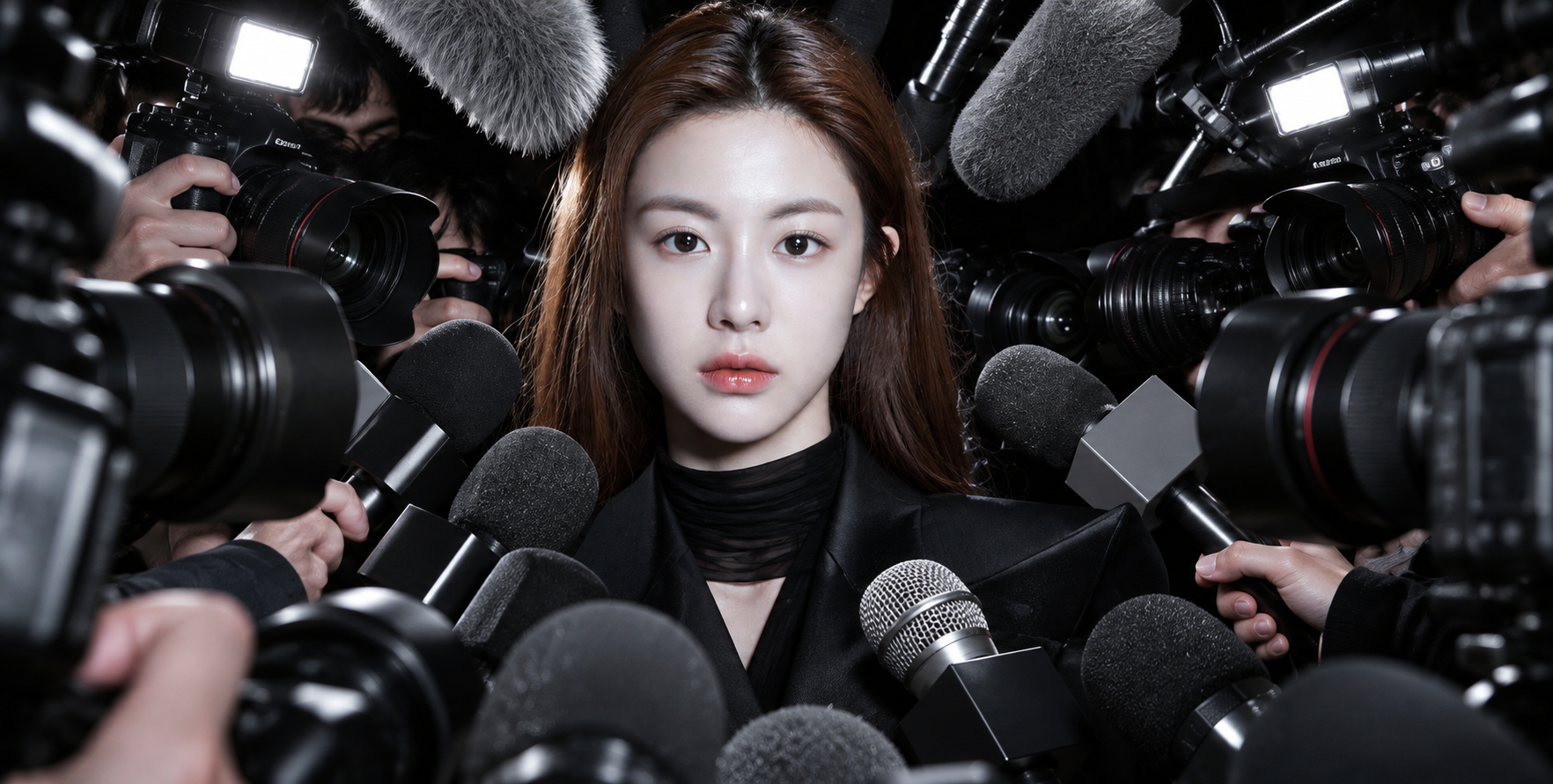
플래시와 렌즈가 둘러싼 오트쿠튀르의 화려함
High Fashion Glamour Under Flashbulbs and Lenses
‘플래시와 렌즈가 둘러싼 오트쿠튀르의 화려함’은(는) gpt-image-2.5로 만든 작품입니다. OpenZhenZhen에서 원본 프롬프트와 생성 예시를 살펴보고 새로운 창작에 활용해 보세요.
프롬프트
중국어 프롬프트
使用已配置的 identity_reference ref-10a-v1,使主体的面部、特征和整体身份始终清晰可辨。创作一张高级时装狗仔围堵风格的时尚杂志抓拍照:主体位于画面中央,来自各个方向的相机、手持麦克风和挑杆麦克风紧密环绕。相互交叠的麦克风与相机镜头朝向画面中心,并局部遮挡主体,营造逼仄、对称的压力与关注感。主体表情平静、克制、难以捉摸,自信而疏远。作为选定的造型默认值,穿利落的深色时尚服装、不戴眼镜,以便面部保持清晰可辨。采用真实杂志抓拍的效果:直射闪光灯、强烈高光、深邃阴影,以及媒体设备逼真的纹理。整体以黑、灰和金属色为主,保持冷峻中性的色调,呈现电影般的写实感与现代狗仔围堵瞬间;不要暗示主体是真实名人。
영어 프롬프트
Use the configured identity_reference ref-10a-v1 to keep the subject's face, features, and overall identity clearly recognizable. Create a high-fashion paparazzi press-scrum editorial photograph, with the subject centered and tightly surrounded from all directions by cameras, handheld microphones, and boom mics. Overlapping microphones and camera lenses point inward and partially obscure the subject, creating a claustrophobic, symmetrical sense of pressure and attention. Give the subject a calm, controlled, unreadable expression—confident but distant. As selected styling defaults, use dark fashion-forward clothing with a sharp silhouette and no eyewear so the face remains clearly recognizable. Shoot it like a real editorial photograph with direct flash, harsh highlights, deep shadows, and realistic textures on the media equipment. Keep the palette cool and neutral, dominated by black, gray, and metallic tones; convey cinematic realism and a modern paparazzi moment without asserting that the subject is a real celebrity.
더 많은 이미지·동영상 프롬프트 보기 · 이미지 생성 · 동영상 생성 · AI 캔버스에서 만들기
관련 작품
- 충실한 자연 사진 복원 및 디테일 향상
‘충실한 자연 사진 복원 및 디테일 향상’은(는) gpt-image-2.5로 만든 작품입니다. OpenZhenZhen에서 원본 프롬프트와 생성 예시를 살펴보고 새로운 창작에 활용해 보세요.
- 시네마틱 보더리스 5시점 스트리트 인물 콜라주
‘시네마틱 보더리스 5시점 스트리트 인물 콜라주’은(는) gpt-image-2.5로 만든 작품입니다. OpenZhenZhen에서 원본 프롬프트와 생성 예시를 살펴보고 새로운 창작에 활용해 보세요.
- 일부러 엉성하게 마우스로 그린 그림 다시 그리기
‘일부러 엉성하게 마우스로 그린 그림 다시 그리기’은(는) gpt-image-2.5로 만든 작품입니다. OpenZhenZhen에서 원본 프롬프트와 생성 예시를 살펴보고 새로운 창작에 활용해 보세요.
- 동심 크레용풍 초상화 다시 그리기
‘동심 크레용풍 초상화 다시 그리기’은(는) gpt-image-2.5로 만든 작품입니다. OpenZhenZhen에서 원본 프롬프트와 생성 예시를 살펴보고 새로운 창작에 활용해 보세요.
- 원래 구도를 유지한 한국 민화 재해석
‘원래 구도를 유지한 한국 민화 재해석’은(는) gpt-image-2.5로 만든 작품입니다. OpenZhenZhen에서 원본 프롬프트와 생성 예시를 살펴보고 새로운 창작에 활용해 보세요.
- 청록색 초상화 빈티지 신문 1면
‘청록색 초상화 빈티지 신문 1면’은(는) gpt-image-2.5로 만든 작품입니다. OpenZhenZhen에서 원본 프롬프트와 생성 예시를 살펴보고 새로운 창작에 활용해 보세요.