OpenZhenZhen AI 프롬프트 갤러리 · zhenzhen-image-nb-2 · image
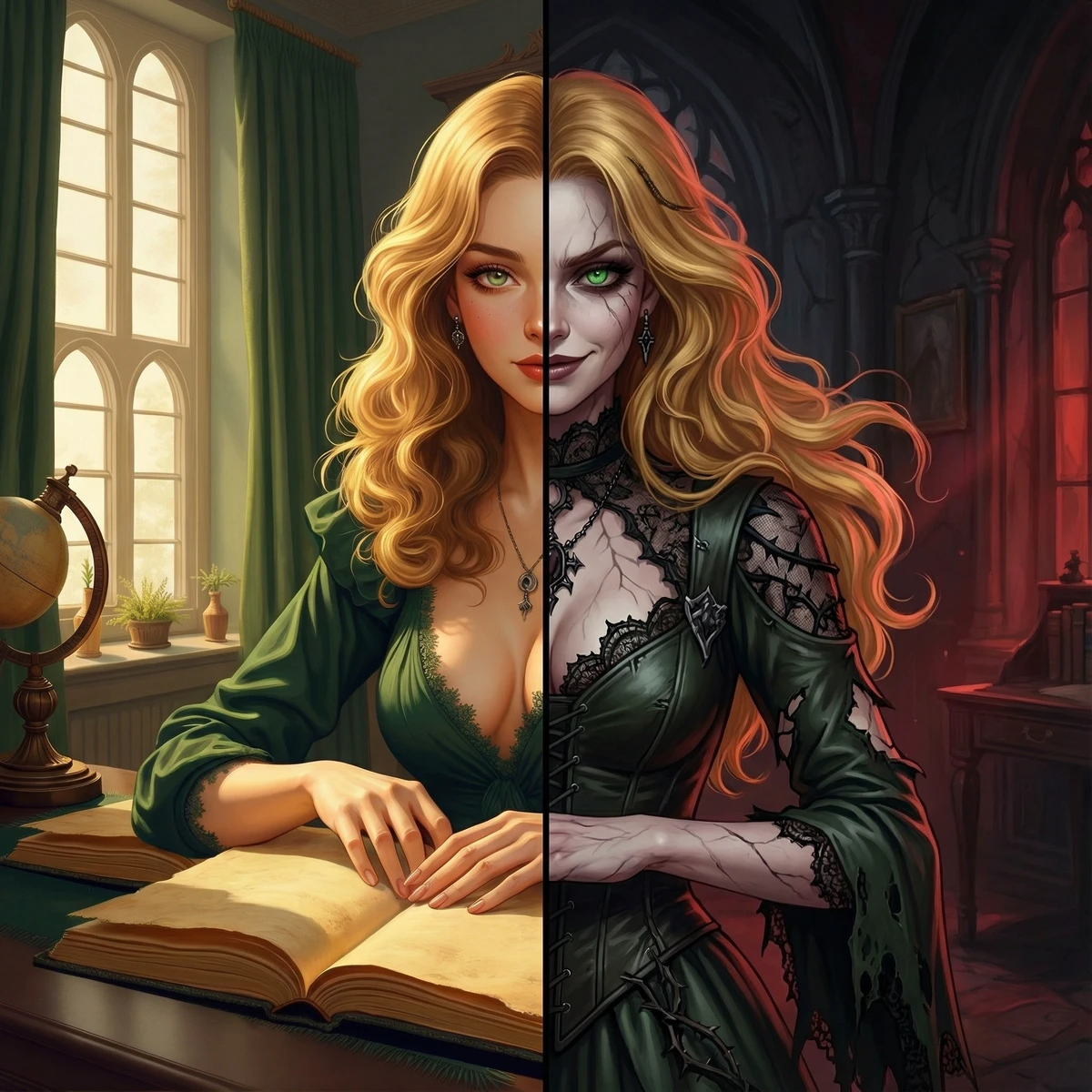
왜곡된 분할 초상
Corrupted Split Portrait
‘왜곡된 분할 초상’은(는) zhenzhen-image-nb-2로 만든 작품입니다. OpenZhenZhen에서 원본 프롬프트와 생성 예시를 살펴보고 새로운 창작에 활용해 보세요.
프롬프트
중국어 프롬프트
根据图1角色绘制该角色恶堕后的插图,左侧显示原角色的半身,右侧展示恶堕后的形象的半身。 构图采用轴对称分裂构图,将同一个角色沿画面正中央垂直分割,一分为二。虽然左右两边的服装和细节截然不同,但人物的基本身体姿态保持了高度的一致性。人物全身线条在左右两边是连续的,没有间隙。形态上的统一与风格上的分裂形成了核心的视觉张力,暗示这两人是同一存在的不同面相。 首先根据图1总结人物设计关键词,然后参考图2氛围提取关键词,进行恶堕主题设计。恶堕后的服装需保留图1原设计印象,同时根据人物主题调整设计,以保持恶堕后的人物生理特征(发型、发色、瞳色等)应保持不变。构图、画风、尽量维持图1样式。一分为二时,左侧两侧均为图1人物的正脸角度,以保证左右两侧是连贯的。
영어 프롬프트
Illustrate the character from Figure 1 in their corrupted form, with the original character's bust on the left side and the corrupted version on the right side. Use a symmetrical split composition that divides the same character vertically down the center of the image. Despite the stark differences in clothing and details between the two sides, maintain a high degree of consistency in the basic body posture. The full-body lines should be continuous across both sides without any breaks. The unity in form and the divergence in style create the core visual tension, hinting that these two representations are different facets of the same entity. Firstly, summarize the character design keywords based on Figure 1, then extract keywords referencing the atmosphere from Figure 2 for designing the corruption theme. The corrupted outfit should retain the impression of the original design from Figure 1 while adjusting the design according to the character's theme to keep it consistent. The physiological characteristics (such as hairstyle, hair color, eye color, etc.) of the character post-corruption should remain unchanged. Composition and art style should stay as close as possible to Figure 1. When splitting the depiction into two halves, ensure that both the left and right sides show the front view of the Figure 1 character to guarantee coherence across the illustration.
주제 및 스타일
더 많은 이미지·동영상 프롬프트 보기 · 이미지 생성 · 동영상 생성 · AI 캔버스에서 만들기
관련 작품
- 시네마틱 골든 아워 초상화
‘시네마틱 골든 아워 초상화’은(는) z-image-t2i로 만든 작품입니다. OpenZhenZhen에서 원본 프롬프트와 생성 예시를 살펴보고 새로운 창작에 활용해 보세요.
- 시네마틱 여성 초상화
‘시네마틱 여성 초상화’은(는) z-image-t2i로 만든 작품입니다. OpenZhenZhen에서 원본 프롬프트와 생성 예시를 살펴보고 새로운 창작에 활용해 보세요.
- 신비로운 샤먼 소녀
‘신비로운 샤먼 소녀’은(는) z-image-t2i로 만든 작품입니다. OpenZhenZhen에서 원본 프롬프트와 생성 예시를 살펴보고 새로운 창작에 활용해 보세요.
- 진홍색 드레스를 입은 금발 여인
‘진홍색 드레스를 입은 금발 여인’은(는) z-image-t2i로 만든 작품입니다. OpenZhenZhen에서 원본 프롬프트와 생성 예시를 살펴보고 새로운 창작에 활용해 보세요.
- 액체 수은 드레스
‘액체 수은 드레스’은(는) z-image-t2i로 만든 작품입니다. OpenZhenZhen에서 원본 프롬프트와 생성 예시를 살펴보고 새로운 창작에 활용해 보세요.
- 자전거를 탄 소녀
‘자전거를 탄 소녀’은(는) seedream-v5-pro-t2i로 만든 작품입니다. OpenZhenZhen에서 원본 프롬프트와 생성 예시를 살펴보고 새로운 창작에 활용해 보세요.